Prompt to Generate UI Realistic UI & Interfaces for GPT-4o
Prompt to Generate UI Realistic UI & Interfaces for GPT-4o is a verified PROMPT blueprint on Promptally in Visual Art & Image Generation optimized for leading AI models. High-performance Prompt to Generate UI Realistic UI & Interfaces for GPT-4o prompt blueprint. Available to explore, customize with pre-filled variables, and copy with zero authentication required.
 Created by @promptally
Technical Specifications
| Specification | Value |
|---|---|
| Artifact type | PROMPT (Visual Art & Image Generation) |
| Compatible engines | Universal / Model Agnostic |
| Input variables | None (pre-filled) |
| Approximate tokens | 327 |
| Source file | prompt-prompt-to-generate-ui-realistic-ui-interfaces-for-gpt-4o-6.txt |
| Access tier | Free public (MIT) |
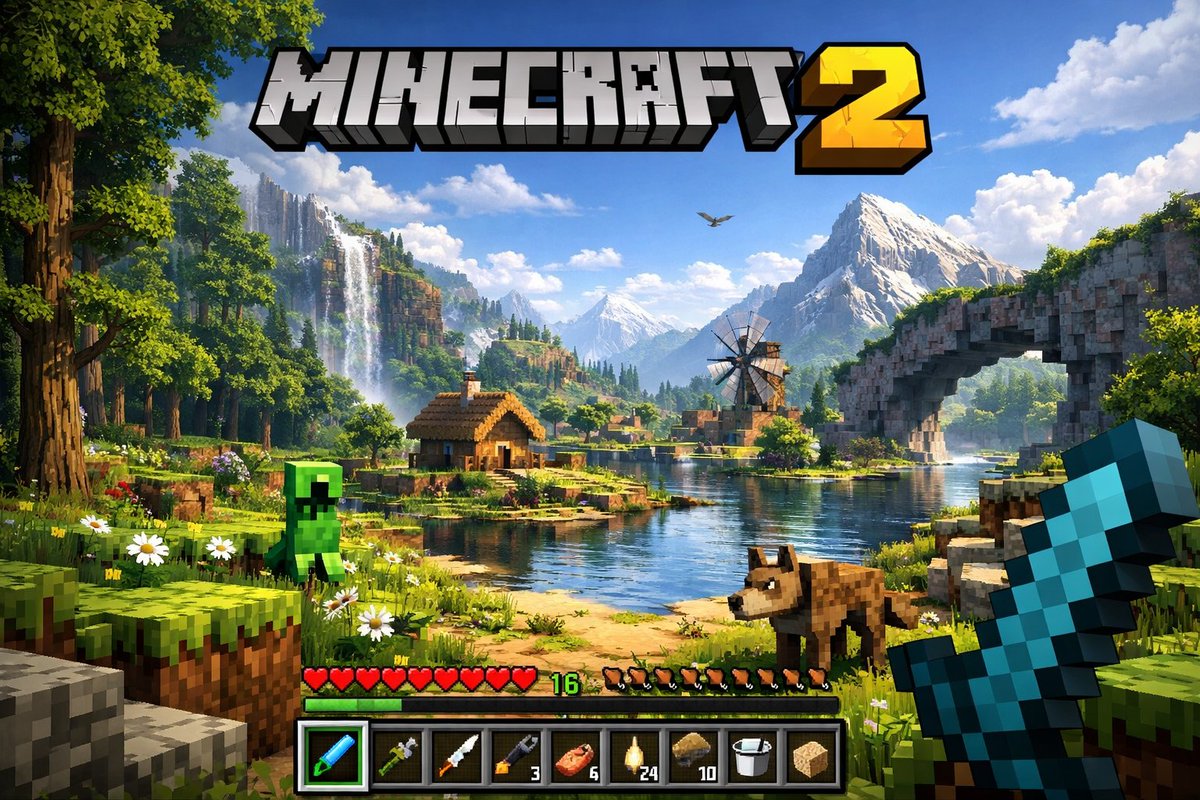
Pre-Filled Template
A highly detailed, realistic first-person video game screenshot of a next-generation voxel-based world. At the top center, a large, bold 3D logo reads "{argument name="game title" default="MINECRAFT 2"}". The scene features a {argument name="environment" default="lush, blocky landscape with a river, a small wooden cabin, a windmill, a waterfall, and majestic mountains in the background"}. The world blends realistic lighting, volumetric clouds, and high-resolution textures with cubic, voxel geometry. In the foreground on the left, a {argument name="mob 1" default="blocky green creeper"} stands on the grass, while a {argument name="mob 2" default="blocky brown wolf"} stands on the dirt path to the right. On the far right, the player's hand holds a {argument name="held item" default="pixelated blue diamond sword"} in a first-person perspective. At the bottom of the screen is a game user interface featuring a health bar with 10 red hearts, a green experience bar with the number '16', a hunger bar with 10 brown meat icons, and a 9-slot inventory hotbar. The hotbar contains, from left to right: a selected blue tool with a green highlight box, a green tool, a knife, a wrench with the number '3', a piece of meat with '6', a lantern with '24', a dirt block with '10', a bucket, and a sponge block.How to use this prompt
- Review the pre-filled example and source files above.
- Copy the template or download
prompt-prompt-to-generate-ui-realistic-ui-interfaces-for-gpt-4o-6.txt, then use it in your model, IDE, or workflow tool. - Compare your result with the sample output when one is provided.
Frequently Asked Questions
How do I use Prompt to Generate UI Realistic UI & Interfaces for GPT-4o?
Open the prompt on Promptally, review the pre-filled example, then copy the template or download prompt-prompt-to-generate-ui-realistic-ui-interfaces-for-gpt-4o-6.txt and paste it into your model, IDE or workflow tool. Prompt to Generate UI Realistic UI & Interfaces for GPT-4o is a static blueprint with no dynamic variables. Copy it and use it as-is.
Is Prompt to Generate UI Realistic UI & Interfaces for GPT-4o free?
Yes. Prompt to Generate UI Realistic UI & Interfaces for GPT-4o is free to view, copy and download on Promptally without creating an account. It is published under the MIT license.
What variables does Prompt to Generate UI Realistic UI & Interfaces for GPT-4o need?
Prompt to Generate UI Realistic UI & Interfaces for GPT-4o is a static blueprint with no dynamic variables. Copy it and use it as-is.