Prompt to Generate UI Realistic UI & Interfaces for GPT-4o
Prompt to Generate UI Realistic UI & Interfaces for GPT-4o is a verified PROMPT blueprint on Promptally in Visual Art & Image Generation optimized for leading AI models. High-performance Prompt to Generate UI Realistic UI & Interfaces for GPT-4o prompt blueprint. Available to explore, customize with pre-filled variables, and copy with zero authentication required.
 Created by @promptally
Technical Specifications
| Specification | Value |
|---|---|
| Artifact type | PROMPT (Visual Art & Image Generation) |
| Compatible engines | Universal / Model Agnostic |
| Input variables | None (pre-filled) |
| Approximate tokens | 400 |
| Source file | prompt-prompt-to-generate-ui-realistic-ui-interfaces-for-gpt-4o-5.txt |
| Access tier | Free public (MIT) |
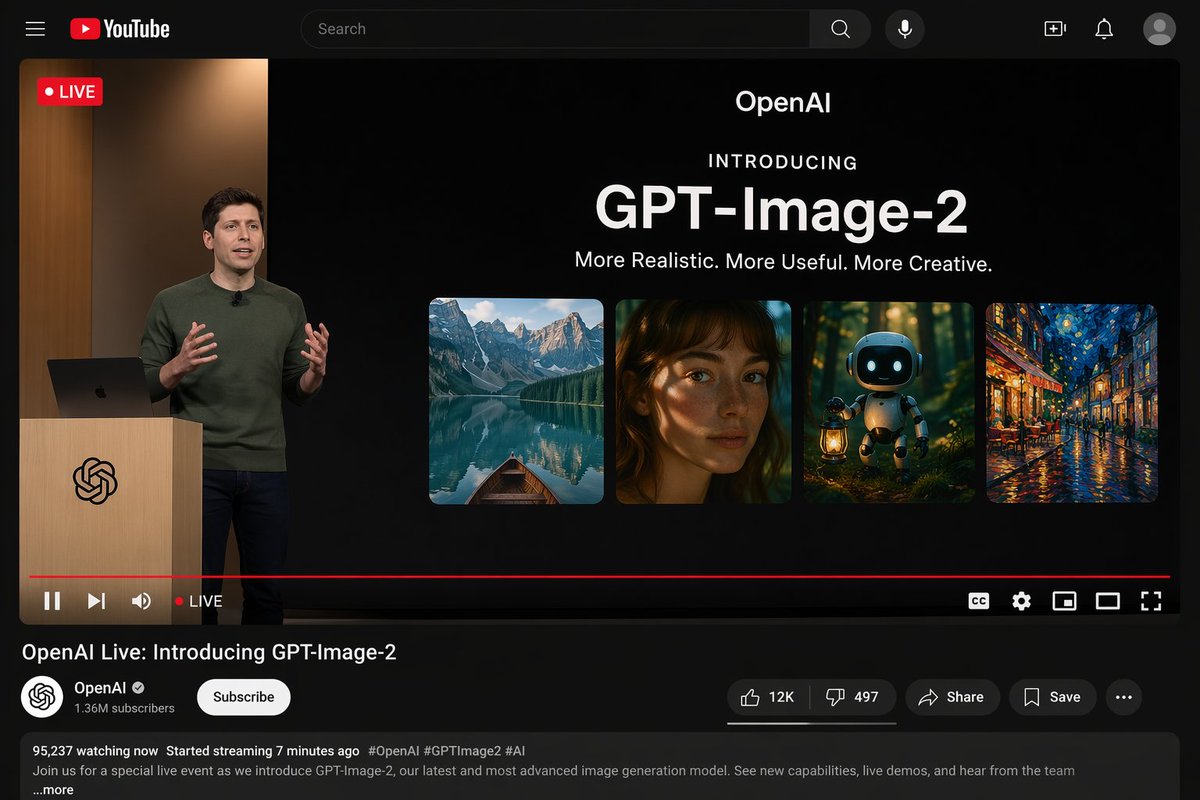
Pre-Filled Template
{"type": "YouTube desktop dark mode UI mockup", "header": {"logo": "YouTube", "search_bar": "Search", "icons_count": 5, "icons": ["search", "mic", "create", "notifications", "profile"]}, "video_player": {"top_left_badge": "LIVE", "left_side": {"subject": "{argument name=\"presenter description\" default=\"man in green sweater at wooden podium\"}", "podium_logo": "OpenAI"}, "right_side_presentation": {"text_elements": ["OpenAI", "INTRODUCING", "{argument name=\"product name\" default=\"GPT-Image-2\"}", "{argument name=\"tagline\" default=\"More Realistic. More Useful. More Creative.\"}"], "sample_images_count": 4, "sample_images": ["mountain lake with boat", "woman portrait with dappled light", "cute robot with lantern in forest", "starry night cafe painting"]}, "bottom_controls_count": 10, "bottom_controls": ["pause", "next", "volume", "LIVE", "red progress bar", "CC", "settings", "miniplayer", "theater mode", "fullscreen"]}, "video_details": {"title": "{argument name=\"video title\" default=\"OpenAI Live: Introducing GPT-Image-2\"}", "channel": {"name": "{argument name=\"channel name\" default=\"OpenAI\"}", "verified": true, "subscribers": "1.36M", "button": "Subscribe"}, "action_buttons_count": 5, "action_buttons": ["Like 12K", "Dislike 497", "Share", "Save", "More"], "description_box": {"stats": "95,237 watching now Started streaming 7 minutes ago", "tags": "#OpenAI #GPTImage2 #AI", "text": "Join us for a special live event as we introduce GPT-Image-2, our latest and most advanced image generation model. See new capabilities, live demos, and hear from the team ...more"}}}How to use this prompt
- Review the pre-filled example and source files above.
- Copy the template or download
prompt-prompt-to-generate-ui-realistic-ui-interfaces-for-gpt-4o-5.txt, then use it in your model, IDE, or workflow tool. - Compare your result with the sample output when one is provided.
Frequently Asked Questions
How do I use Prompt to Generate UI Realistic UI & Interfaces for GPT-4o?
Open the prompt on Promptally, review the pre-filled example, then copy the template or download prompt-prompt-to-generate-ui-realistic-ui-interfaces-for-gpt-4o-5.txt and paste it into your model, IDE or workflow tool. Prompt to Generate UI Realistic UI & Interfaces for GPT-4o is a static blueprint with no dynamic variables. Copy it and use it as-is.
Is Prompt to Generate UI Realistic UI & Interfaces for GPT-4o free?
Yes. Prompt to Generate UI Realistic UI & Interfaces for GPT-4o is free to view, copy and download on Promptally without creating an account. It is published under the MIT license.
What variables does Prompt to Generate UI Realistic UI & Interfaces for GPT-4o need?
Prompt to Generate UI Realistic UI & Interfaces for GPT-4o is a static blueprint with no dynamic variables. Copy it and use it as-is.