Prompt to Generate Esc Keycap Miniature Diorama
Prompt to Generate Esc Keycap Miniature Diorama is a verified PROMPT blueprint on Promptally in Visual Art & Image Generation optimized for leading AI models. High-performance Prompt to Generate Esc Keycap Miniature Diorama prompt blueprint. Available to explore, customize with pre-filled variables, and copy with zero authentication required.
 Created by @promptally
Technical Specifications
| Specification | Value |
|---|---|
| Artifact type | PROMPT (Visual Art & Image Generation) |
| Compatible engines | Universal / Model Agnostic |
| Input variables | None (pre-filled) |
| Approximate tokens | 297 |
| Source file | prompt-prompt-to-generate-esc-keycap-miniature-diorama.txt |
| Access tier | Free public (MIT) |
Pre-Filled Template
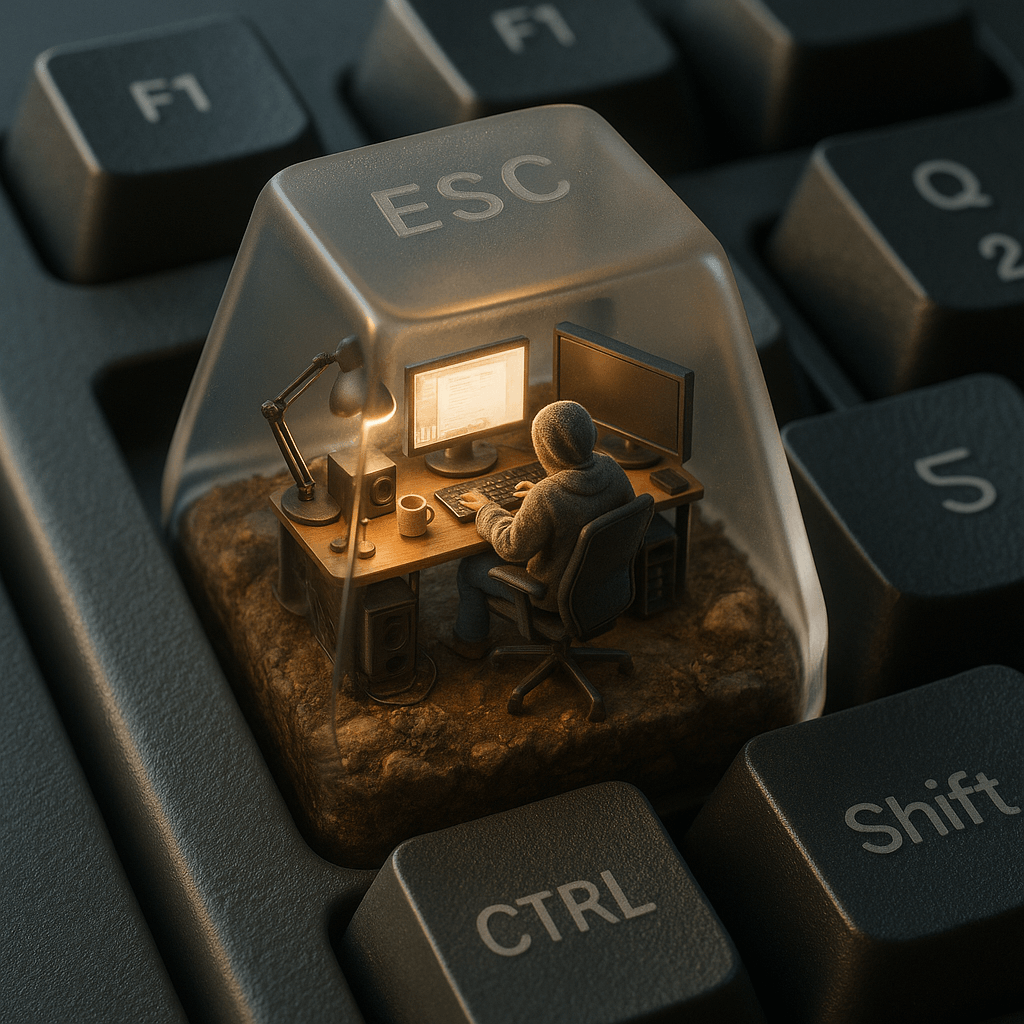
A hyper-realistic isometric 3D render of a miniature computer setup inside a translucent mechanical keyboard keycap, specifically placed on the ESC key of a real matte-finished mechanical keyboard. Inside the keycap, a tiny figure sits in a modern ergonomic chair, wearing a cozy textured hoodie, working at a glowing ultra-realistic computer screen. The environment is packed with lifelike miniature tech accessories: real-material desk lamps, monitors with reflections, tiny speaker grills, tangled cables, and ceramic mugs. The base of the scene is made of soil, rocks, and moss, with photorealistic textures and imperfections. The lighting inside the cap mimics natural morning sun, casting soft shadows and warm tones, while the outside has cold ambient reflections from the surrounding keyboard. The word “ESC” is subtly etched onto the top of the translucent keycap with a faint frosted glass effect — just barely visible depending on the angle. The surrounding keyboard keys like F1, Q, Shift, and CTRL are crisp, textured, and photorealistically lit. Shot as if taken with a high-end mobile phone camera, with shallow depth of field, perfect white balance, and cinematic detail.
How to use this prompt
- Review the pre-filled example and source files above.
- Copy the template or download
prompt-prompt-to-generate-esc-keycap-miniature-diorama.txt, then use it in your model, IDE, or workflow tool. - Compare your result with the sample output when one is provided.
Frequently Asked Questions
How do I use Prompt to Generate Esc Keycap Miniature Diorama?
Open the prompt on Promptally, review the pre-filled example, then copy the template or download prompt-prompt-to-generate-esc-keycap-miniature-diorama.txt and paste it into your model, IDE or workflow tool. Prompt to Generate Esc Keycap Miniature Diorama is a static blueprint with no dynamic variables. Copy it and use it as-is.
Is Prompt to Generate Esc Keycap Miniature Diorama free?
Yes. Prompt to Generate Esc Keycap Miniature Diorama is free to view, copy and download on Promptally without creating an account. It is published under the MIT license.
What variables does Prompt to Generate Esc Keycap Miniature Diorama need?
Prompt to Generate Esc Keycap Miniature Diorama is a static blueprint with no dynamic variables. Copy it and use it as-is.