Prompt to Kling 4.0: Three poses at the window
Prompt to Kling 4.0: Three poses at the window is a verified PROMPT blueprint on Promptally in Cinematic Video & Camera Movements optimized for leading AI models. High-performance Kling 4.0: Three poses at the window prompt blueprint. Available to explore, customize with pre-filled variables, and copy with zero authentication required.
 Created by @promptally
Technical Specifications
| Specification | Value |
|---|---|
| Artifact type | PROMPT (Cinematic Video & Camera Movements) |
| Compatible engines | Universal / Model Agnostic |
| Input variables | None (pre-filled) |
| Approximate tokens | 325 |
| Source file | prompt-kling-4-0-three-poses-at-the-window.txt |
| Access tier | Free public (MIT) |
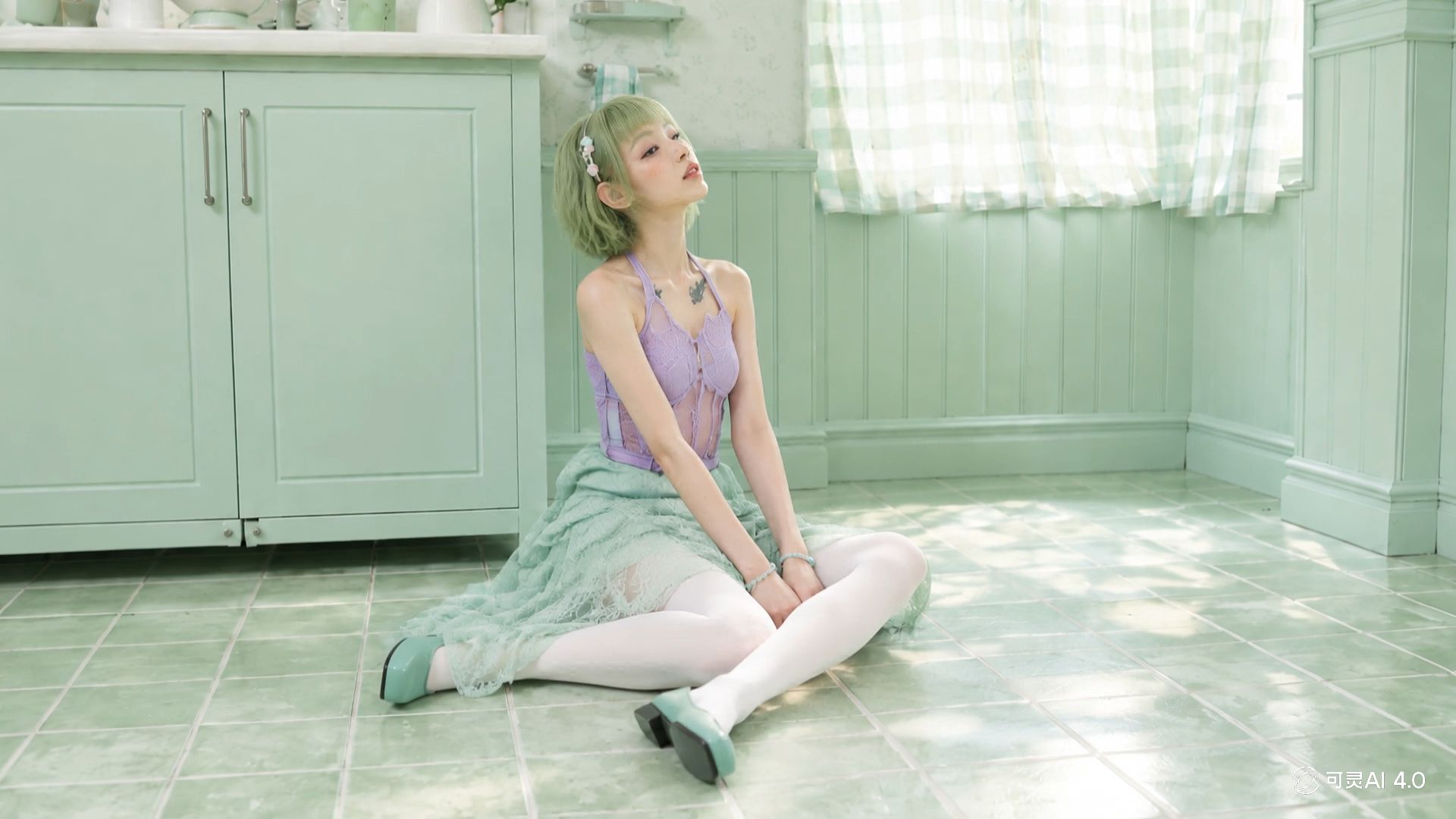
Pre-Filled Template
KEYFRAME MAP
The first image defines the opening pose at 0 seconds. The second defines the intermediate three-quarter pose at 7 seconds. The third defines the camera-facing pose at 13 seconds. Continue that final pose through 15 seconds. These are moments in one person's movement, not separate characters or separate scenes.

PERFORMANCE
0–3s: From the first pose, take one quiet breath and lift the gaze slightly toward the window. Shoulders remain relaxed.
3–7s: Begin turning toward the camera in the direction shown by the middle image. Eyes lead, then head and shoulders follow; shift weight subtly so the body does not twist around fixed feet. Arrive at the middle pose at 7 seconds.
7–13s: Complete the same turn smoothly toward the final pose. Let hair and sleeves lag slightly behind the movement and settle afterward. Arrive facing the camera at 13 seconds with a small, relaxed smile.
13–15s: Hold eye contact without freezing breathing or blinking.

CAMERA, SOUND, CONTINUITY
Lock the camera and preserve the window, light direction, facial features, and clothing. Use quiet room tone and subtle fabric movement only. No dialogue, music, subtitles, cuts, crossfades, duplicated person, or reversal of turn direction. Match image compositions through motion rather than morphing the face.
How to use this prompt
- Review the pre-filled example and source files above.
- Copy the template or download
prompt-kling-4-0-three-poses-at-the-window.txt, then use it in your model, IDE, or workflow tool. - Compare your result with the sample output when one is provided.
Frequently Asked Questions
How do I use Prompt to Kling 4.0: Three poses at the window?
Open the prompt on Promptally, review the pre-filled example, then copy the template or download prompt-kling-4-0-three-poses-at-the-window.txt and paste it into your model, IDE or workflow tool. Prompt to Kling 4.0: Three poses at the window is a static blueprint with no dynamic variables. Copy it and use it as-is.
Is Prompt to Kling 4.0: Three poses at the window free?
Yes. Prompt to Kling 4.0: Three poses at the window is free to view, copy and download on Promptally without creating an account. It is published under the MIT license.
What variables does Prompt to Kling 4.0: Three poses at the window need?
Prompt to Kling 4.0: Three poses at the window is a static blueprint with no dynamic variables. Copy it and use it as-is.