Prompt to Camera Move: The camera zooms in, then holds that
Prompt to Camera Move: The camera zooms in, then holds that is a verified PROMPT blueprint on Promptally in Cinematic Video & Camera Movements optimized for leading AI models. High-performance Camera Move: The camera zooms in, then holds that prompt blueprint. Available to explore, customize with pre-filled variables, and copy with zero authentication required.
 Created by @promptally
Technical Specifications
| Specification | Value |
|---|---|
| Artifact type | PROMPT (Cinematic Video & Camera Movements) |
| Compatible engines | Universal / Model Agnostic |
| Input variables | None (pre-filled) |
| Approximate tokens | 15 |
| Source file | prompt-camera-move-the-camera-zooms-in-then-holds-that-1.txt |
| Access tier | Free public (MIT) |
Pre-Filled Template
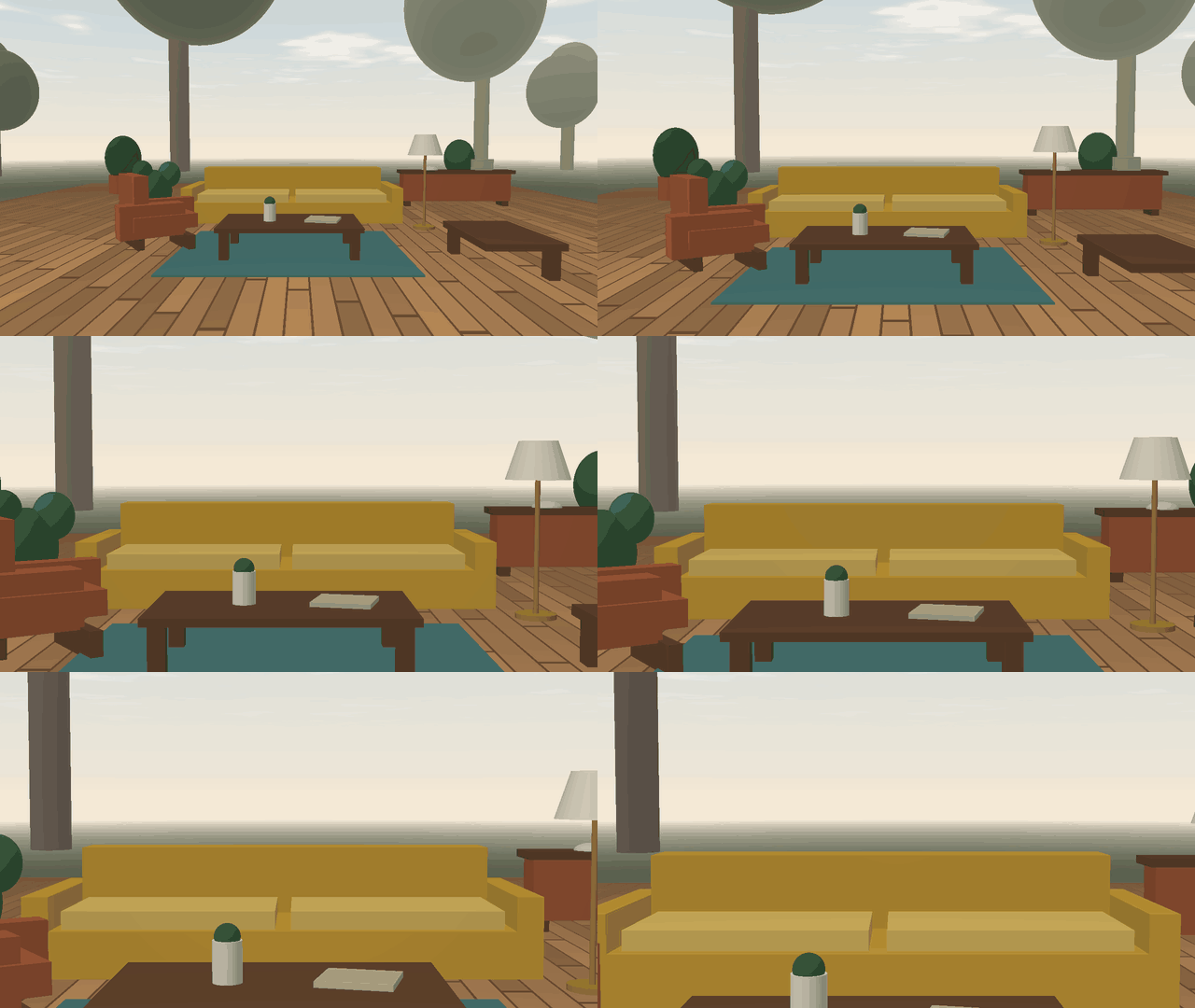
The camera zooms in, then holds that zoom and moves forward.
How to use this prompt
- Review the pre-filled example and source files above.
- Copy the template or download
prompt-camera-move-the-camera-zooms-in-then-holds-that-1.txt, then use it in your model, IDE, or workflow tool. - Compare your result with the sample output when one is provided.
Frequently Asked Questions
How do I use Prompt to Camera Move: The camera zooms in, then holds that?
Open the prompt on Promptally, review the pre-filled example, then copy the template or download prompt-camera-move-the-camera-zooms-in-then-holds-that-1.txt and paste it into your model, IDE or workflow tool. Prompt to Camera Move: The camera zooms in, then holds that is a static blueprint with no dynamic variables. Copy it and use it as-is.
Is Prompt to Camera Move: The camera zooms in, then holds that free?
Yes. Prompt to Camera Move: The camera zooms in, then holds that is free to view, copy and download on Promptally without creating an account. It is published under the MIT license.
What variables does Prompt to Camera Move: The camera zooms in, then holds that need?
Prompt to Camera Move: The camera zooms in, then holds that is a static blueprint with no dynamic variables. Copy it and use it as-is.