Browse 135 Game Development — Agentic Skills
Godot 4, Unity 6, Unreal Engine 5, Three.js WebGL, Bevy, Roblox Luau 135 free and paid blueprints with pre-filled examples.
Game Development blueprints
Agent Skill to Game Architecture Skill: 3D Games
3D game development principles. Rendering, shaders, physics, cameras.
Agent Skill to Game-Dev Skill: Steam Publish (WORKFLOWS)
Publish or update a game on Steam with Steamworks and SteamPipe: configure depots and packages, upload builds with steamcmd, set a build live on a branch, and run the release checklists. Use for Steam publishing, app_build.vdf/steamcmd uploads, depots, beta branches, or a store page release.

Agent Skill to Game-Dev Skill: Unity Input System (UNITY)
Wire player input in Unity 6.3 LTS with the Input System package: Input Actions, action maps, the PlayerInput component, and reading values via callbacks or polling. Use when the project has a .inputactions asset or com.unity.inputsystem, or when the user mentions the Unity Input System, InputAction, action maps, PlayerInput, control schemes, or rebinding.
Agent Skill to Unity 6 MCP Skill: Mcp Source
Switch MCP for Unity package source in connected Unity projects. Use /mcp-source [main|beta|branch|local] to swap between upstream releases, your remote branch, or local dev checkout.
Agent Skill to Game-Dev Skill: Unity Scriptableobjects (UNITY)
Architect Unity 6.3 LTS data and decoupling with ScriptableObjects: config/data assets, shared runtime variables, event channels, and runtime sets/registries. Use when designing data-driven systems, replacing singletons/managers, creating .asset data with CreateAssetMenu, or when the user mentions ScriptableObject, SO architecture, or data assets.
Agent Skill to Game-Dev Skill: Unity Csharp Scripting (UNITY)
Write Unity 6.3 LTS C# gameplay scripts: the MonoBehaviour lifecycle (Awake/OnEnable/Start/Update/FixedUpdate/LateUpdate), GameObject and component access, coroutines, and Inspector serialization. Use when creating or editing .cs scripts in a Unity project, or when the user mentions MonoBehaviour, Start/Update, GetComponent, SerializeField, coroutines, or "Unity script".
Agent Skill to Game-Dev Skill: Unity Build Pipeline (UNITY)
Build and ship Unity 6.3 LTS players: build settings and scenes, player/quality settings, the IL2CPP vs Mono scripting backend, managed code stripping, scripted BuildPipeline.BuildPlayer, and CI/headless builds. Use when configuring or automating a build, choosing a scripting backend, shrinking build size, or when the user mentions Unity build, player settings, IL2CPP, code stripping, or Addressables.
Agent Skill to Community Mod Pack
Assist community moderation with summaries, spam detection suggestions, and draft replies for Discord or Telegram.
Agent Skill to Game-Dev Skill: Level Design (DISCIPLINES)
Design and build playable levels — the blockout/whitebox-to-playable workflow, player metrics and grid layout, pacing and flow (tension/rest curve), gating and the critical path, and encounter design. Engine-neutral practice. Use when the user mentions level design, blockout/whitebox/greybox, level layout, level pacing, encounter design, or the critical path through a level.
Agent Skill to Game Architecture Skill: Vr Ar
VR/AR development principles. Comfort, interaction, performance requirements.
Agent Skill to Game-Dev Skill: Threejs Scene Setup (WEB-ENGINES)
Stand up a three.js scene: import maps and the three/addons path, the Scene/PerspectiveCamera/WebGLRenderer trio, the setAnimationLoop render loop, responsive resize, OrbitControls, and opting into WebGPURenderer. Use when starting or debugging a three.js app — when the user mentions three.js, THREE.Scene, WebGLRenderer, WebGPURenderer, PerspectiveCamera, the render loop, resizing, or OrbitControls. For models use threejs-gltf-loading; for materials/lights use threejs-materials-lightin
Agent Skill to Game Architecture Skill: Multiplayer
Multiplayer game development principles. Architecture, networking, synchronization.

Agent Skill to Three.js & WebGL Skill: Optimize Threejs Games
Profile, diagnose, and improve Three.js or WebGL game performance without regressing gameplay. Use for frame-time drops, CPU/GPU pressure, draw calls, texture and geometry budgets, animation loops, adaptive quality, mobile performance, and browser performance verification.
Agent Skill to Three.js & WebGL Skill: Build Game Map Editor
Build, extend, or audit production-linked browser map editors for Three.js and isometric games. Use when Codex needs to create a private director view, derive a versioned editor document from authored placements, add outliner, layer, selection, drag, snap, inspector, or camera controls, expose enemy aggro, leash, or patrol overlays, implement local draft import, export, undo, and reset, secure an editor route with IP and password sessions, or validate and release a map editor without m
Agent Skill to Game-Dev Skill: Threejs Gltf Loading (WEB-ENGINES)
Load glTF/GLB models in three.js with GLTFLoader and play their skinned animations with AnimationMixer, including DRACO/Meshopt-compressed meshes and KTX2 textures. Use when importing 3D models into three.js — when the user mentions glTF, GLB, GLTFLoader, AnimationMixer, animation clips, DRACOLoader, or "load a 3D model". For scene/camera/renderer setup use threejs-scene-setup; for materials and lights use threejs-materials-lighting.
Agent Skill to Game-Dev Skill: Phaser Core (WEB-ENGINES)
Set up and debug a Phaser 4 game: the Game config, the Scene lifecycle (init/preload/create/update), the asset loader, cameras, and cross-scene communication. Use when building or debugging a Phaser game — when the user mentions Phaser, Phaser.Game, Phaser.Scene, preload/create/update, this.load, this.add, or scene transitions. For Arcade Physics movement/collisions use phaser-arcade-physics.
Agent Skill to Three.js & WebGL Skill: Build Game Inventory
Build or repair game inventory, loot, equipment, tooltips, drag-and-drop, persistence, and progression systems. Use for item schemas, pickup flows, stack rules, equipment slots, atomic swaps, save migration, and no-loss regression testing.
Agent Skill to Three.js & WebGL Skill: Build Game Audio Feedback
Design or implement responsive audio feedback for a Three.js or web game. Use for action sounds, combat layers, music states, spatial audio, mix priorities, mute controls, accessibility, mobile audio unlock, and audio performance.
Agent Skill to Game-Dev Skill: Visual Novel (GENRES)
Build a visual novel: a branching script, character and background display, a text box with choices, save/load, backlog, and skip/auto. Use for a VN, dating sim, or branching story game.

Agent Skill to Unity 6 MCP Skill: Github Pr Review Fix
Review and resolve PR comments from GitHub. Validates each comment, fixes legitimate issues.
Agent Skill to Unreal Engine 5 Skill: Create Toolset
Use this skill when authoring or extending an Unreal Engine toolset, a class of static, AI-callable functions registered with `ToolsetRegistry` and exposed through the unreal-mcp server. Trigger when the user wants to add, expose, or register a new tool method, create a new toolset, or extend an existing one such as `BlueprintTools`, `StaticMeshTools`, `ObjectTools`, `LevelTools`, or `MaterialTools`. Concrete triggers: 'add a tool to X', 'expose this via MCP', 'register a function so C
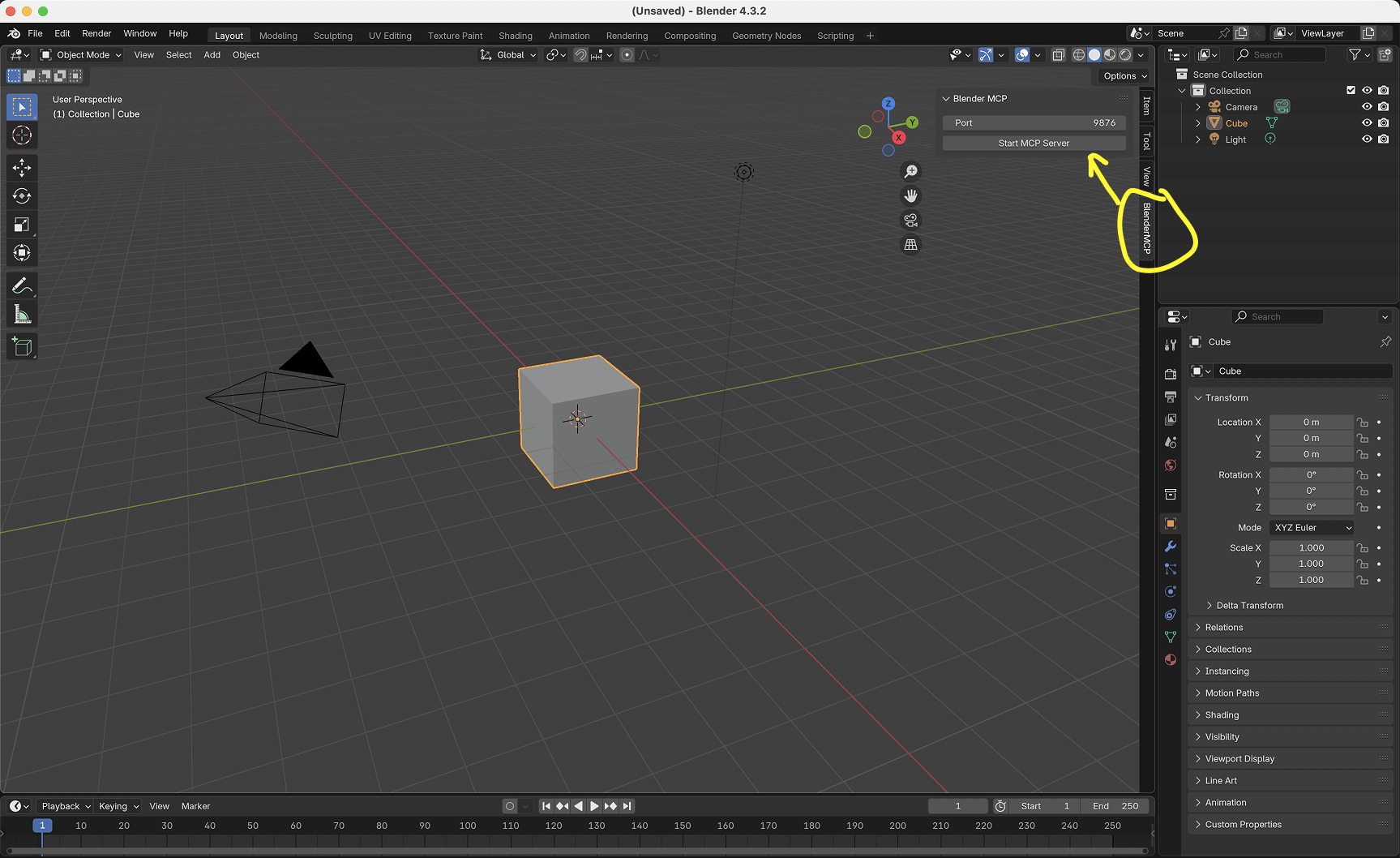
Agent Skill to Blender 3D MCP Skill: Blender Mcp
Use Blender MCP when a request depends on inspecting or modifying a live Blender scene, object, node graph, node asset, material, render setup, or open .blend file. Prefer structured Blender MCP tools and safe verification workflows. Do not probe Blender for purely conceptual questions that do not depend on current Blender state.
Agent Skill to Game Architecture Skill: Game Development
Game development orchestrator. Routes to platform-specific skills based on project needs.
Agent Skill to Game Architecture Skill: Game Design
Game design principles. GDD structure, balancing, player psychology, progression.